
Buying back your collateral
Pay your buyback cost before expiry and get your collateral back.
You need: enough USDC in your wallet to cover the buyback cost, or whatever partial amount you want to pay.
Step 1: Open the buyback drawer
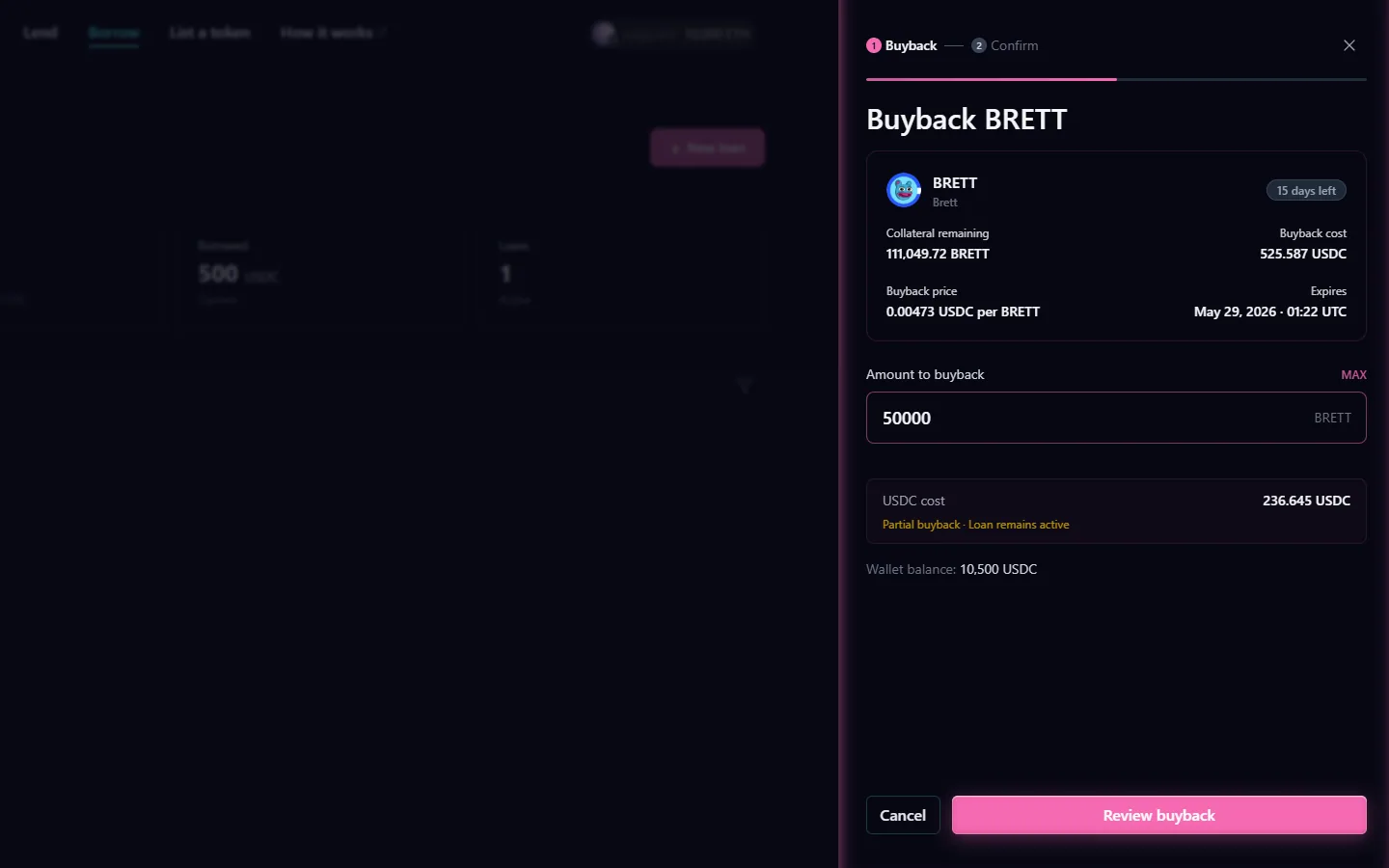
On your borrow dashboard, click Buyback on the loan you want to reclaim. The buyback drawer opens showing your total cost and how much collateral you get back.
To do a partial buyback, enter a smaller amount. The drawer shows exactly how much collateral you receive for what you pay. Minimum is $1 USDC.
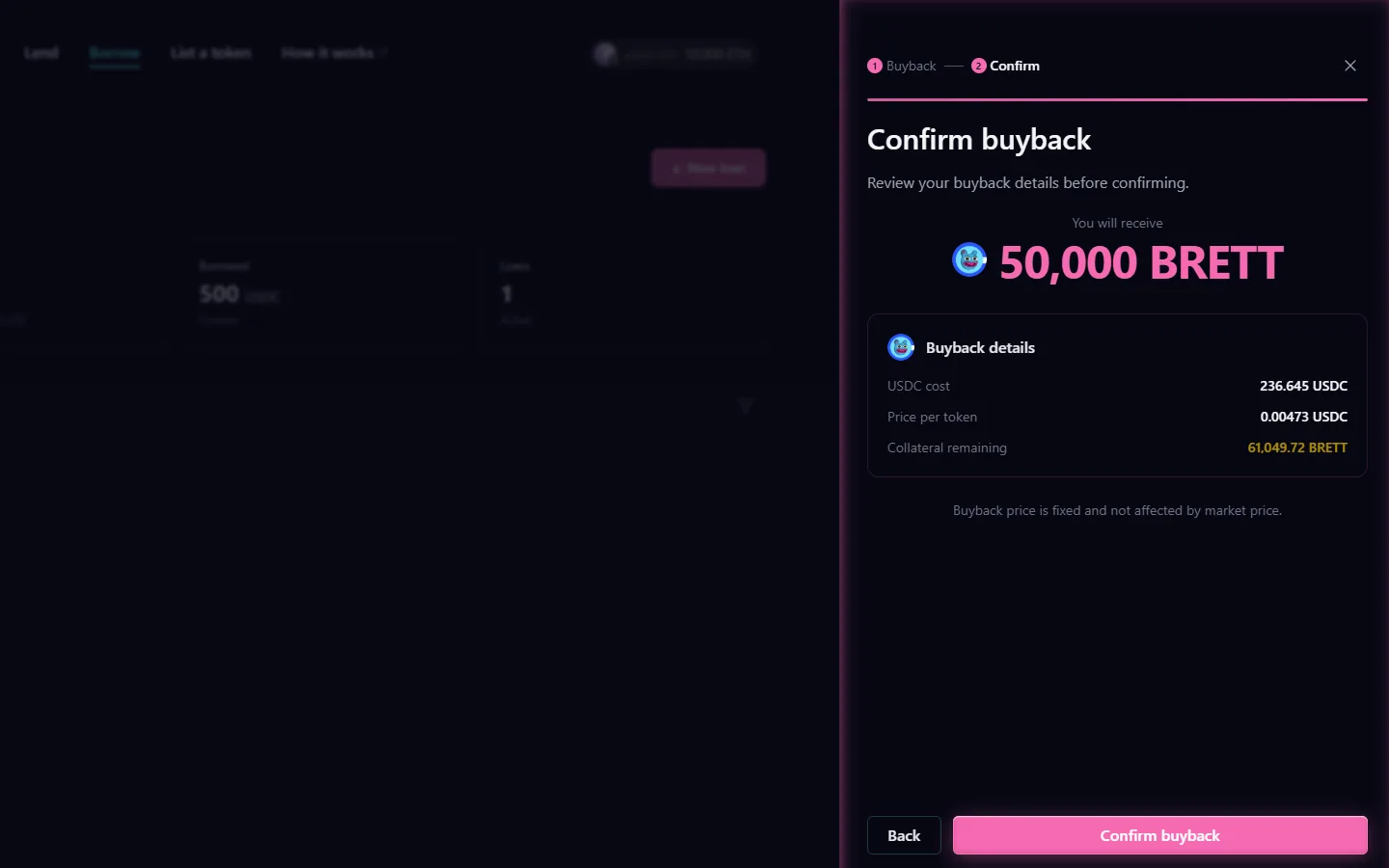
Step 2: Review the buyback
Confirm the amount you are paying and the collateral you will receive back. Click Confirm when ready.
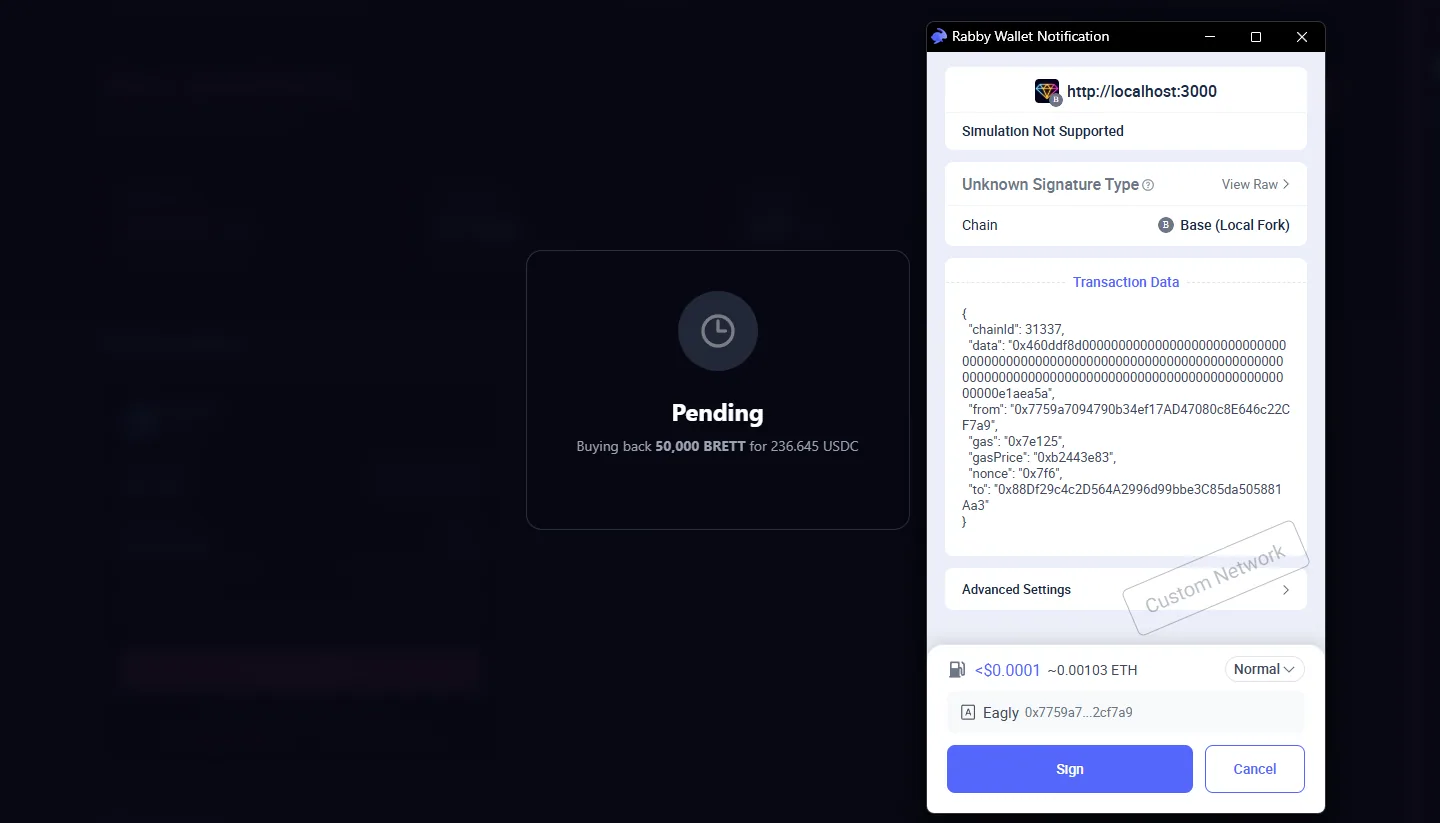
Step 3: Sign in your wallet
Approve the transaction in your wallet. Your USDC is sent to the protocol and your collateral is returned in the same transaction.
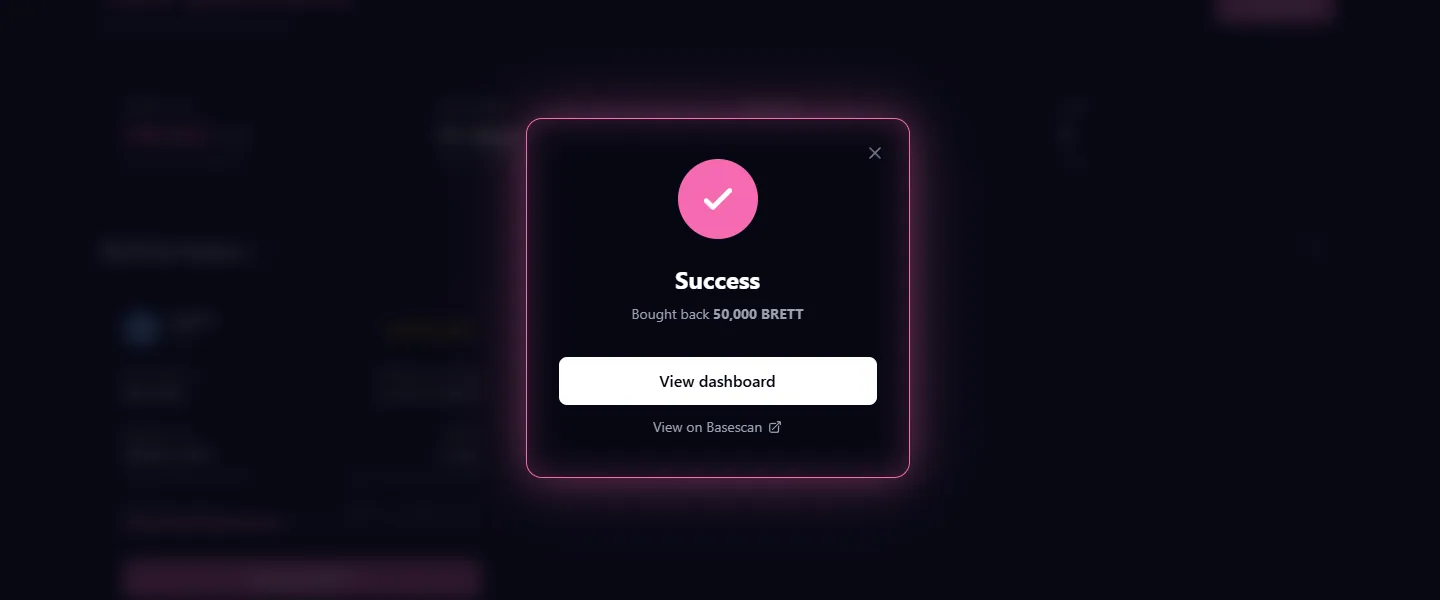
Step 4: Buyback confirmed
You will see a success screen. Your collateral has been returned to your wallet.
Partial buybacks
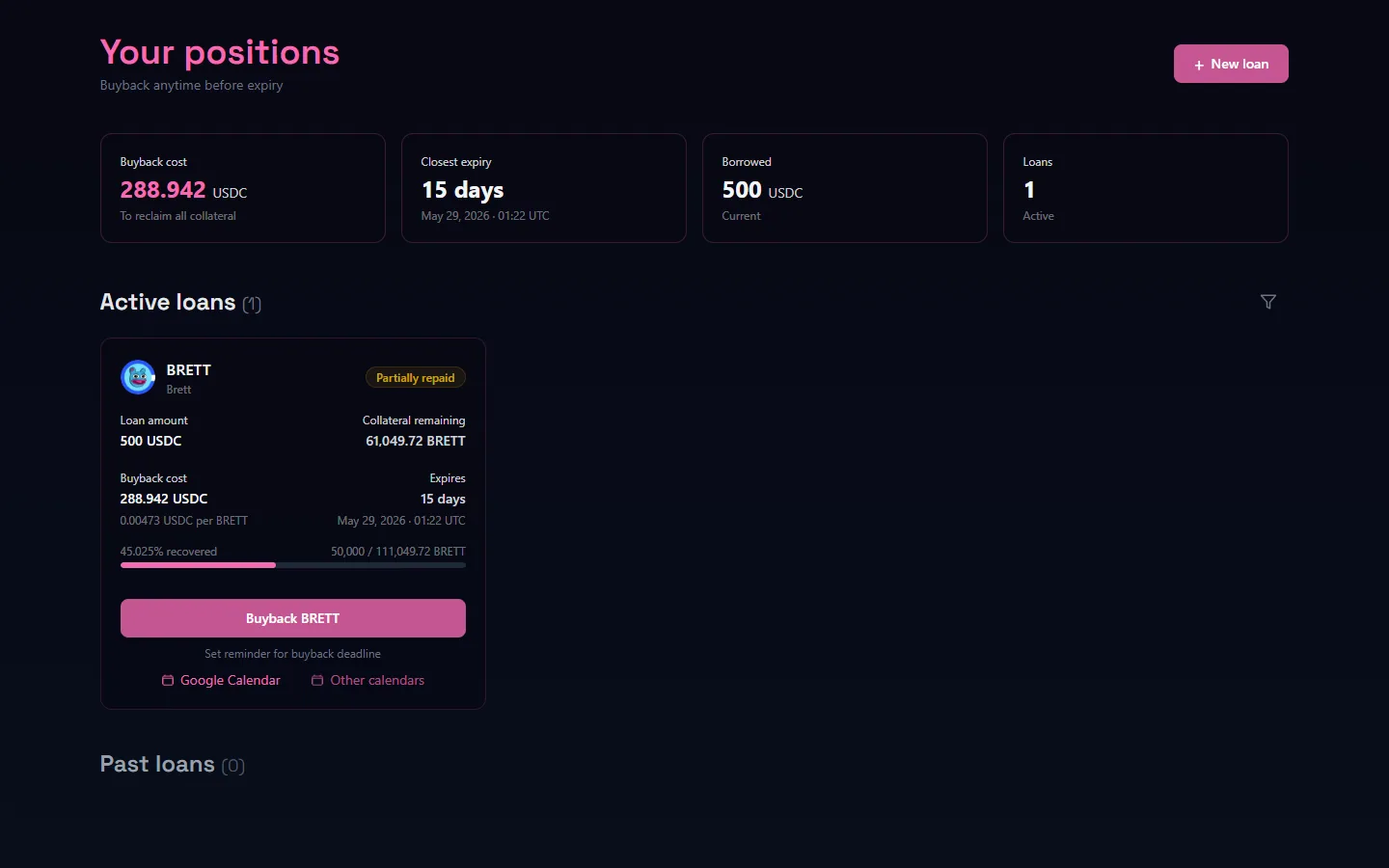
If you paid less than the full buyback cost, the loan stays open with a reduced remaining balance. The progress bar on your dashboard shows how much you have already bought back.
Fully closed
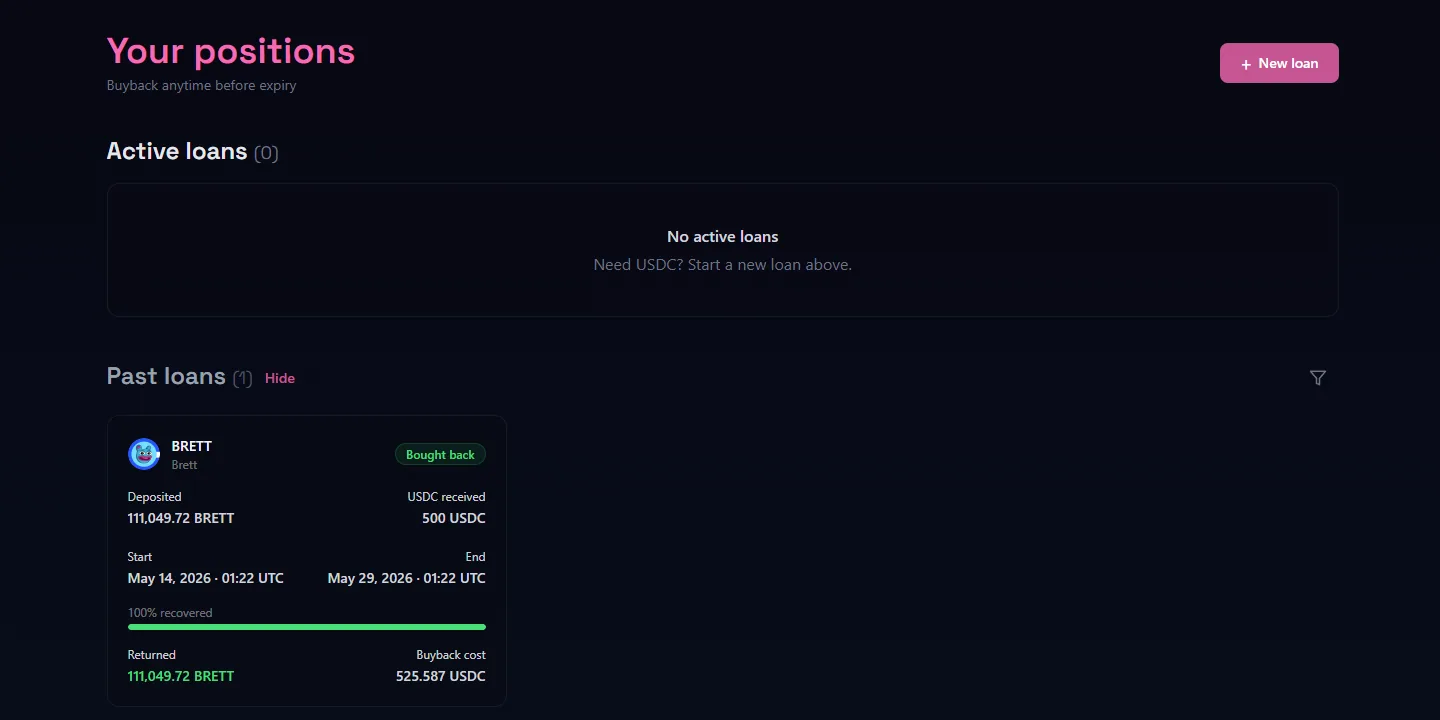
Once the full buyback cost is paid, the loan closes and moves to your past loans. A green bar confirms it was fully bought back.
USDC for buybacks is approved to the LendingLedger contract. Your wallet will show the correct address automatically.